Is ChronoMap a map?
It is a map of time, not a geographic map. You can pan, zoom, compare, and organize historical periods like a spatial timeline.
ChronoMap is a multi-track timeline editor for exploring history, organizing Wikipedia-backed events, and sharing read-only time maps.
Paste a Wikipedia link, add events or intervals, arrange them into tracks, and share the result.
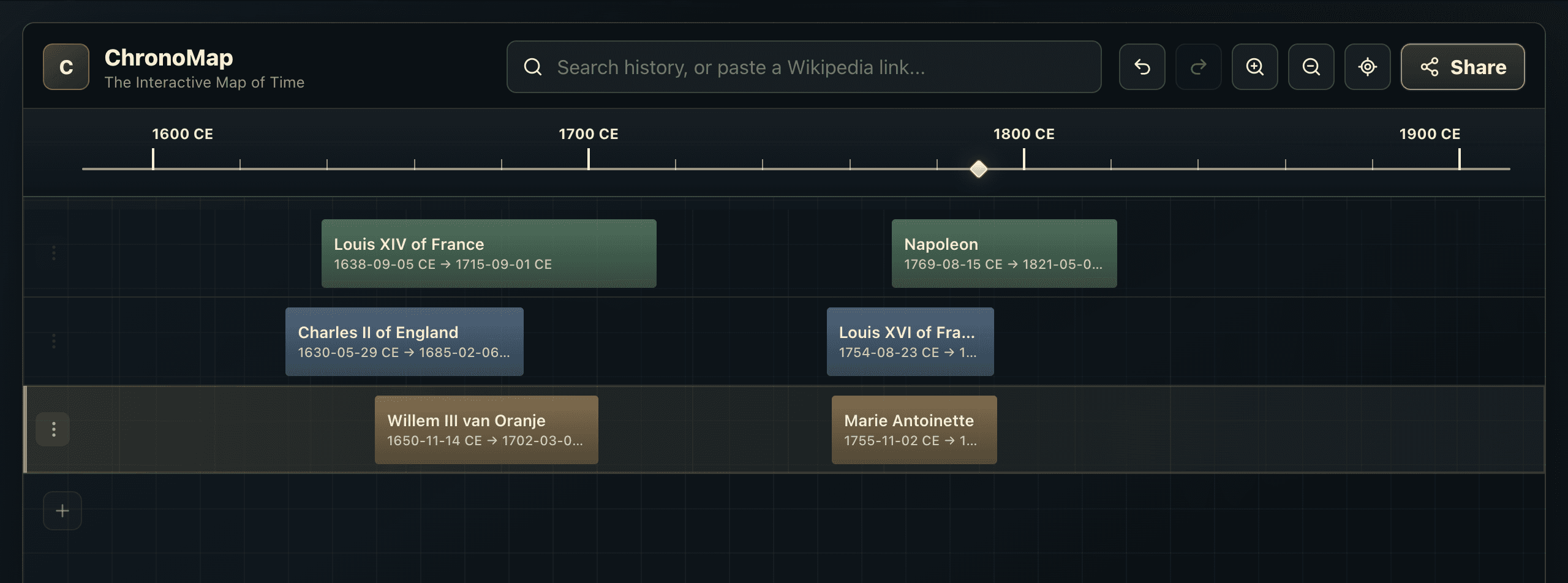
Start from search, or paste a Wikipedia link directly.
Add source-backed items or create your own custom dates.
Organize rows, then send a read-only snapshot to others.
It is a map of time, not a geographic map. You can pan, zoom, compare, and organize historical periods like a spatial timeline.
Public historical dates are treated as fixed. You can organize items into tracks, but ChronoMap does not change the historical dates by dragging.
You can set dates manually and create a custom item for your own workspace.
No. Custom items are personal to your browser unless included inside a read-only shared timeline snapshot.
No account is required for the first version.
Yes. ChronoMap can create read-only share links.
Open ChronoMap, paste a Wikipedia link, and build your first interactive timeline.
Start using ChronoMap